In today’s dynamic business landscape, managing your finances efficiently is non-negotiable. Choosing powerful accounting software can improve visibility, support compliance, and help your business grow. If you’re ready to buy QuickBooks Desktop, this guide will help you navigate your options with confidence and make a secure, informed purchase.
Before you choose a version, it helps to understand what QuickBooks Desktop offers, who it suits best, and how to verify that you are buying a genuine product. The sections below cover the essentials in a practical way, so you can avoid common mistakes and select the right setup for your business. If you plan to buy QuickBooks Desktop, a little preparation now can save time, reduce risk, and make day-to-day bookkeeping much easier.
Table of Contents
Why QuickBooks Desktop Remains a Top Choice
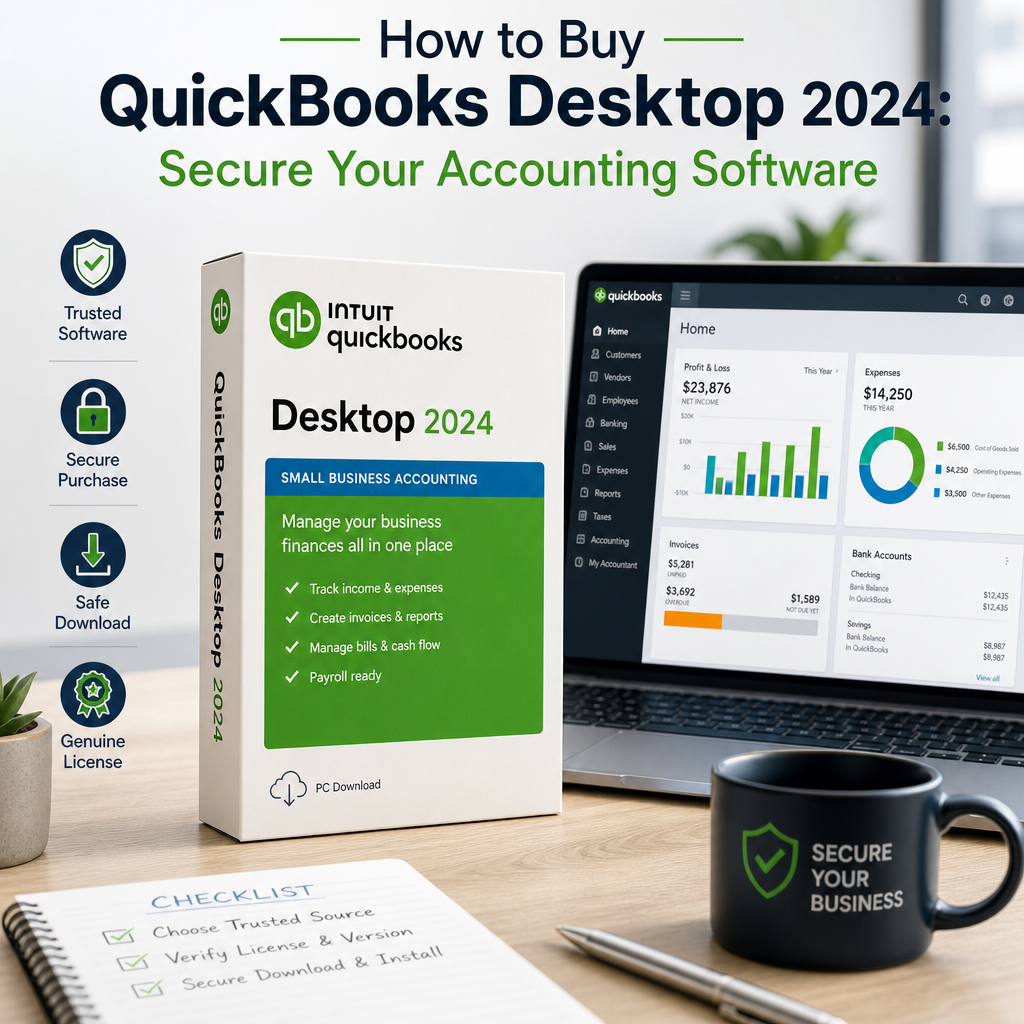
QuickBooks has long set the standard in accounting software for small and medium-sized businesses. The desktop version, including options like QuickBooks Pro Plus 2024, remains popular because it combines control, depth, and reliability in one platform. Many buyers still choose to buy QuickBooks Desktop because they want a dependable accounting system with strong local control and detailed reporting.
Many business owners prefer desktop accounting software because it gives them direct access to their company file and reporting structure. For teams that want a stable workflow and detailed financial tools, QuickBooks Desktop continues to be a trusted choice. It is particularly appealing for organizations that want a familiar interface, a powerful chart of accounts, and a workflow that can be tailored to internal processes without excessive complexity.
- Robust functionality: Comprehensive tools for bookkeeping, payroll, inventory management, and reporting.
- Enhanced security: Data is stored locally, reducing reliance on external servers.
- Powerful customization: You can tailor workflows and reports to suit your business needs.
- Predictable day-to-day use: Teams often appreciate the consistency of desktop-based accounting software.
QuickBooks Desktop is especially useful for businesses that want more control over accounting processes. If your work depends on detailed reports, tracking, and structured recordkeeping, this format can still be an excellent fit. For companies that have grown beyond basic spreadsheets but do not need a fully cloud-based ecosystem, it can offer the right balance of structure and flexibility.
Which Version Should You Buy?
Before you buy QuickBooks Desktop, it’s essential to identify the edition that matches your business requirements. The right version depends on your team size, industry, and the features you use every day. Choosing carefully helps ensure that the accounting software you purchase aligns with the way your business operates instead of forcing you to adjust your workflow later.
QuickBooks Pro Plus 2024
This option is a strong choice for small businesses that need advanced bookkeeping and reporting tools. It also includes support and regular updates as part of the subscription model. Many owners compare it first when they want to buy QuickBooks Desktop because it is a familiar entry point with solid core functionality.
- Ideal for businesses that want dependable day-to-day accounting.
- Useful for teams that need collaboration features.
- Well suited to companies that want a current version with ongoing support.
- Appropriate for businesses that want a straightforward accounting setup without unnecessary extras.
QuickBooks Premier Plus
Premier Plus is a better fit for businesses with industry-specific needs. It includes tools designed for sectors such as retail, manufacturing, and nonprofit organizations. If your company needs specialized reporting or more granular inventory workflows, this edition may be worth reviewing before you buy QuickBooks Desktop.
- Advanced inventory tracking.
- Project profitability features.
- Industry-focused reporting options.
- Tools that help businesses manage more complex operational requirements.
QuickBooks Mac 2024
If your team uses macOS, QuickBooks Mac 2024 offers a streamlined experience built for Apple environments. It provides a familiar interface for users who prefer working on a Mac. For businesses that work in a mixed environment, confirming operating system compatibility before purchase is an important step.
For a broader comparison of desktop options and the direction the product line is heading, you may also want to review QuickBooks Desktop Alternatives: Top Picks for Modern Accounting Software.
What to Consider Before You Purchase
When planning to buy QuickBooks Desktop, take a few minutes to review your operational needs. A careful assessment now can prevent compatibility problems, wasted spending, and unnecessary setup work later. It also makes it easier to compare QuickBooks licence options and choose a product that fits both your current requirements and your future plans.
Identify your business structure
LLCs should review whether the software supports the reporting and management features they need. It also helps to confirm the number of users and workstations that will access the file. If you expect your business to expand, think about whether the edition you select can accommodate added complexity over time.
If you are researching business-focused setup options, solutions associated with quickbooksforllc may help you narrow down the right fit for your workflow. The goal is to choose accounting software that supports your entity type, your team size, and the way you record transactions every month.
Compare features
Every business uses accounting software differently. Some need payroll, while others focus on inventory or client billing. Make a short list of the features you will actually use before making a decision. This helps you avoid paying for functionality you do not need while still making sure the version you buy QuickBooks Desktop model supports your key accounting tasks.
- Do you need payroll processing?
- Do you manage complex inventory?
- Does your workflow require custom reporting?
- Will multiple people need access at the same time?
- Do you need industry-specific reporting tools?
- Will your books need regular audit-ready documentation?
Review licensing and authenticity
Always secure a genuine QuickBooks licence from a trusted seller. This protects your purchase, your data, and your access to updates and support. A valid license is just as important as the software itself, because it helps ensure that activation works properly and that you can receive the services you expect after purchase.
Unauthorized resellers can create serious problems, including missing activation details, invalid licensing, and limited support. If you are paying for business software, authenticity should be treated as a requirement, not an optional extra. Before you buy QuickBooks Desktop, confirm what is included, how the licence is delivered, and whether support is available if you need help during installation.
Where to Buy QuickBooks Desktop Safely
Ensuring that your purchase is legitimate and supported is critical. If you want to buy QuickBooks Desktop with confidence, focus on reputable sources and verified product information. That approach gives you a better chance of receiving a proper licence, reliable installation files, and access to help when you need it.
Official vendors and trusted partners
The safest starting point is the official Intuit QuickBooks website, which provides product details, version information, and support resources. You can review the official product area on the Intuit QuickBooks website before you compare vendors or purchase options. Checking the official source helps you understand the current product lineup and determine whether the software package you are considering is current and legitimate.
Reputable authorized partners may also offer bundles, onboarding help, or expert guidance for business owners who want extra support during setup. When you buy QuickBooks Desktop through a trusted channel, you reduce the risk of activation problems and lower the chance of purchasing outdated or unsupported software.
Specialist vendors
Specialist accounting software vendors can be useful when you need help choosing between editions or matching software to a specific business type. They may also be able to explain licensing terms more clearly, which is helpful if you are comparing a few different offers. The best vendors will answer questions about version compatibility, delivery methods, and support before you complete the transaction.
Check for direct support and updates
Before completing a purchase, confirm that the vendor provides access to Intuit updates, patches, and technical support. This is especially important if you plan to use the software for bookkeeping, payroll, or reporting on a regular basis. A legitimate purchase should come with clear instructions, a transparent support path, and enough information to help you start using the software without confusion.
A good purchase experience should include clear instructions, valid licensing, and a straightforward path to support if something goes wrong. If a seller cannot explain how activation works or what happens after purchase, consider that a warning sign.
Avoid Common Pitfalls
Many buyers focus on price first, but the cheapest option is not always the best one. To maintain the integrity and security of your business finances, watch for warning signs before you complete your order. When you buy QuickBooks Desktop, the quality of the seller matters just as much as the product description.
- Beware of counterfeit software: Deep discounts and unfamiliar sellers may signal pirated or outdated versions.
- Verify credentials: Confirm the seller’s status as an authorized reseller or legitimate distributor.
- Review return policies: Make sure there is a money-back or exchange option if the product does not meet your needs.
- Check delivery details: Make sure you understand whether the product is shipped, downloaded, or activated through a license key.
It is also smart to confirm exactly what version you are buying. Product names can look similar, and a listing that appears to match your needs may not include the correct edition, support level, or license type. If you are comparing offers for QuickBooks Pro Plus 2024 or another edition, verify every detail before payment to avoid delays or confusion.
After You Buy QuickBooks Desktop
Once you’ve secured your genuine QuickBooks licence, the next step is making sure the software is installed and configured correctly. A careful setup helps you avoid delays and makes it easier to keep your books organized from day one. This is where many users gain the most value, because the software can only support your business well when it is set up with the right accounts, permissions, and workflows.
- Installation: Follow the official installation guide and download only from Intuit or your trusted vendor.
- Activate your licence: Enter the provided licence key and keep it private to protect your investment.
- Set up your company file: Configure your chart of accounts, user access, and relevant integrations.
- Explore updates: For versions like QuickBooks 2024, enable automatic updates to stay protected and current.
- Test key reports: Run a few sample reports so you know your data is flowing correctly.
It is also wise to back up your company file early, especially if your business depends on regular bookkeeping. Even though desktop software gives you more control over local storage, backups remain an important part of safe financial management. Consider setting a recurring backup routine so your accounting records are protected even if a device issue occurs.
If you are moving from an older release or comparing current options, the article on QuickBooks Desktop Going Away? What It Means for Users may help you understand how recent product changes affect buyers and existing users.
How to Get the Most Value from Your Purchase
Once the software is installed, spend time learning the features that will save you the most effort. That could mean customizing invoices, setting up recurring transactions, organizing vendors, or reviewing reports on a weekly schedule. When you buy QuickBooks Desktop with a clear plan, you are more likely to see faster returns from the software because setup and training are aligned with your actual workflow.
Many businesses benefit from a short onboarding process. Even a few hours of setup work can make day-to-day bookkeeping much easier. If you have a team member who will manage the books, make sure that person understands the file structure, login permissions, and backup routine. A small amount of training can help reduce errors and make month-end close more efficient.
It is also useful to document your process. A simple internal guide that explains how to enter transactions, reconcile accounts, and export reports can reduce mistakes later on. This is especially helpful as your business grows and more people need to interact with the accounting system. Documentation also makes it easier to maintain consistency if responsibilities shift to another employee or outside bookkeeper.
To get more value from the platform, review your reports regularly and look for patterns in cash flow, outstanding invoices, and expense categories. Accounting software becomes much more useful when you treat it as a decision-making tool rather than just a recordkeeping system. The more consistently you use the features you purchased, the more likely it is that the software will support healthier financial management.
Signs You May Need a Different Setup
Even if you plan to buy QuickBooks Desktop, your business may need a different version than you first expected. If you rely heavily on cloud collaboration, mobile access, or constantly changing user permissions, another accounting system may be better aligned with your workflow. In that case, it is worth pausing before you buy QuickBooks Desktop so you can compare what you need against what the product actually delivers.
Likewise, if your current process involves only a small number of users and a stable office environment, the desktop model may continue to be a practical and cost-effective option. The goal is to match the software to the way your business actually works, not just to follow a popular product name. For many teams, the right decision is less about trend and more about dependable, day-to-day usability.
When in doubt, compare features carefully and review how each edition supports reporting, support, and future updates. A measured purchase decision often leads to a better long-term experience. If you are still uncertain, use your feature list, user count, and reporting needs as the deciding factors rather than price alone.
Helpful buying checklist
Before you finalize your purchase, use a short checklist to make sure nothing important has been missed. This can be especially helpful if you are comparing vendors and trying to decide when to buy QuickBooks Desktop.
- Confirm the exact edition and year you need.
- Verify the seller’s reputation and support options.
- Check how the licence is delivered.
- Make sure the software matches your operating system.
- Review whether you need payroll, inventory, or multi-user access.
- Save purchase records and activation details in a secure place.
Taking a few minutes to confirm these points can prevent frustration after checkout. It also helps you start using the software faster because you will already know what to expect from the installation and setup process.
How QuickBooks Desktop fits into a broader finance process
Accounting software is only one part of a healthy financial system. To make the most of your investment, pair your software with good bookkeeping habits, consistent document storage, and regular account reviews. Businesses that buy QuickBooks Desktop successfully usually treat it as part of a larger workflow that includes transaction review, bank reconciliation, and periodic financial analysis.
That broader approach can improve accuracy and reduce the time spent fixing errors later. It can also help business owners understand which reports matter most, such as profit and loss statements, balance sheets, and accounts receivable aging. When those reports are reviewed regularly, the software becomes more than a recordkeeping tool; it becomes a source of insight.
If you are comparing accounting software options, think about the long-term value of training, documentation, and support. These factors often matter more than the initial price. A better-supported purchase can save hours over the course of a year, especially if your team depends on the system for billing or tax preparation.
Conclusion
The decision to buy QuickBooks Desktop can transform the way you manage your business finances. By considering your business’s unique needs, sourcing from authorized vendors, and securing the right QuickBooks licence, you set the stage for peace of mind, compliance, and growth. The right accounting software should make your work more organized, not more complicated.
Whether you choose QuickBooks Pro Plus 2024, a Mac-friendly edition, or another version that better fits your workflow, the key is to buy from a trustworthy source and set the software up carefully. Make your investment wisely, and you can rely on secure, efficient accounting for years to come. If you are ready to buy QuickBooks Desktop, use the guidance above to choose confidently, avoid risky sellers, and start with a setup that supports your business from the beginning.
